

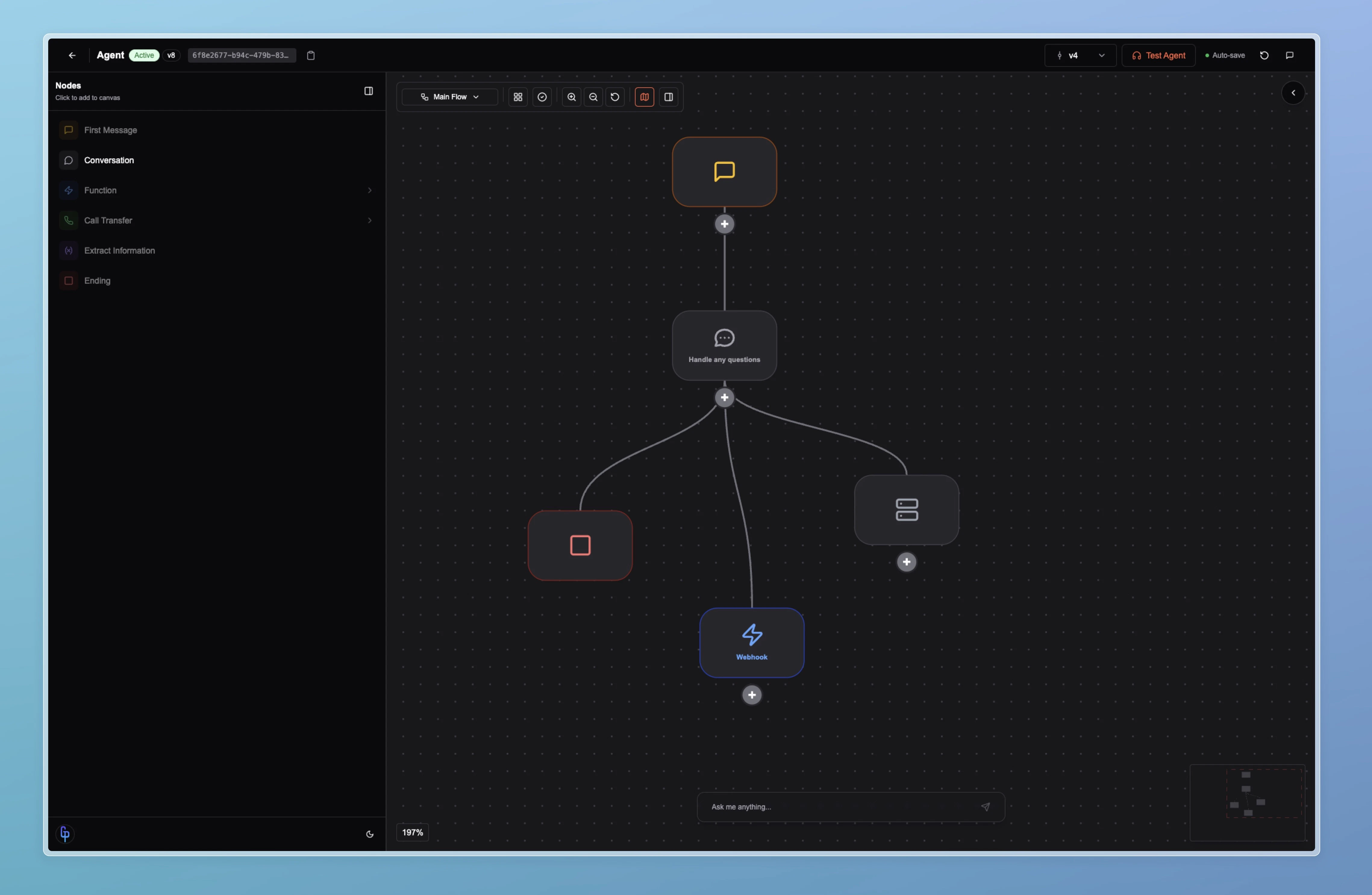
Agent Editor main view
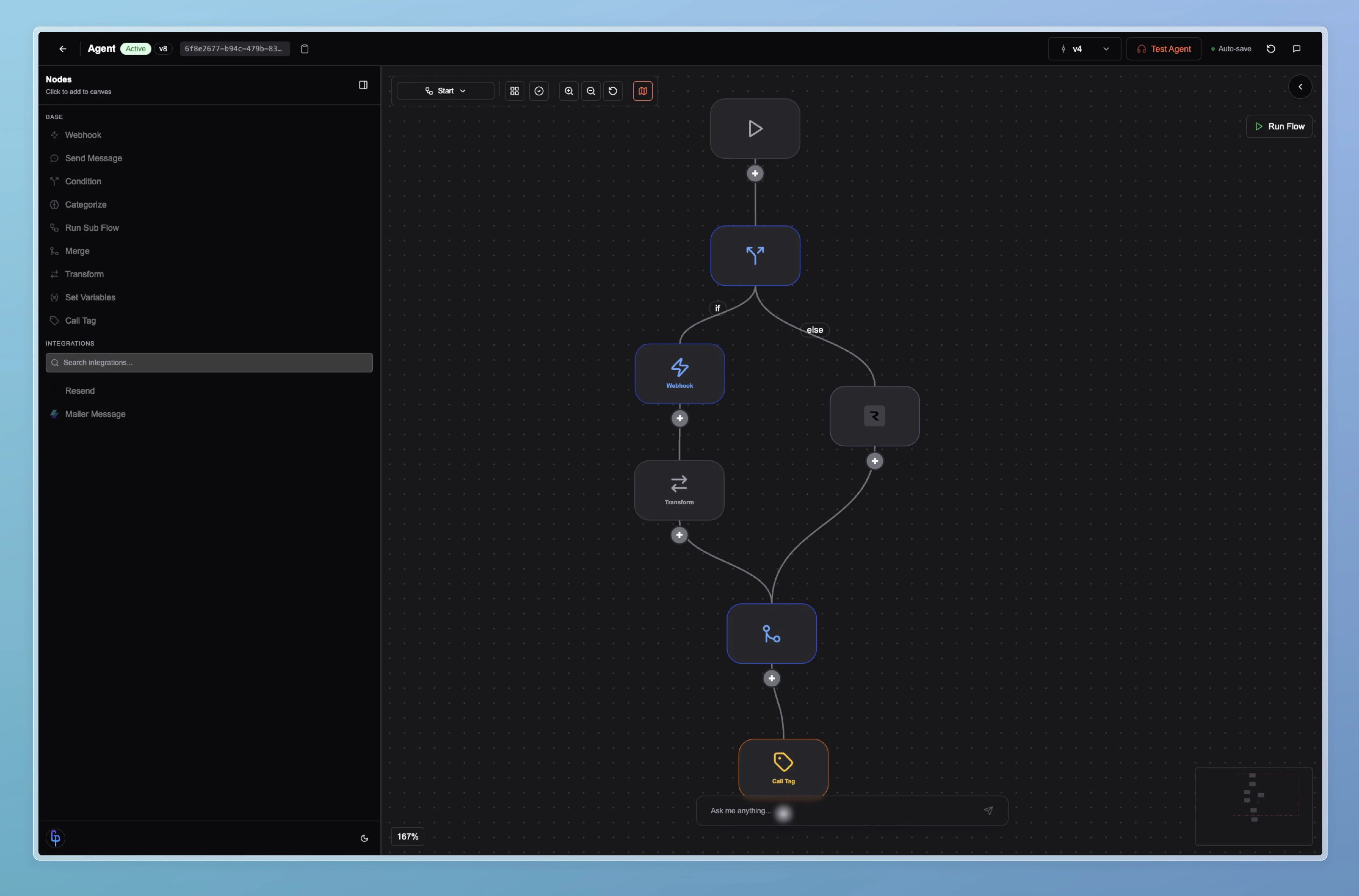
Agent Editor flows view
Conversation flow
Conversation flow is the core of the agent. It is essentially a prompt graph: a directed graph of nodes that controls the dialogue. You define first messages, conversation turns, conditions, transfers, and endings. The agent moves through this graph as the conversation unfolds and can branch or loop based on what the user says, so the flow stays flexible instead of rigid.Logic flows
Alongside the conversation flow, logic flows act as tools. Each logic flow is its own graph of nodes that performs a specific task: looking up data, sending an email, calling an API, or running custom logic. The agent can invoke these flows from the conversation when it needs to execute an action. Together, conversation flow and logic flows give you a single environment to design both what the agent says and what it does.Function nodes
Within both the conversation flow and logic flows, function nodes are where integrations and external behavior live. A function node can call an external API, trigger an integration (e.g. email, CRM, or telephony), or run other server-side logic. Function nodes come in various types, including pre-built integrations, so you can plug in external services without leaving the graph. By combining prompt-style nodes with function nodes across conversation and logic flows, the Agent Editor functions as a full agent builder: one graph-based interface for dialogue, tools, and integrations.Graph
The graph defines the agent’s behavior. It isn’t fixed: the agent moves through it as the conversation goes, adapting to what the user says.- Nodes structure the logic while staying flexible.
- The agent can diverge from the script when the dialogue changes.
- Test regularly so behavior matches what you expect.
Next steps
Node Types
Learn each node type: first message, conversation, transfer, end, function, and more.
Logic Flows & Tools
Define tools and reusable logic flows the agent can call from the conversation.