Prerequisites
- A HubSpot account - Sign up
- A Vatel AI organization and at least one agent
Configuration
Step 1: Get a Service Key from HubSpot
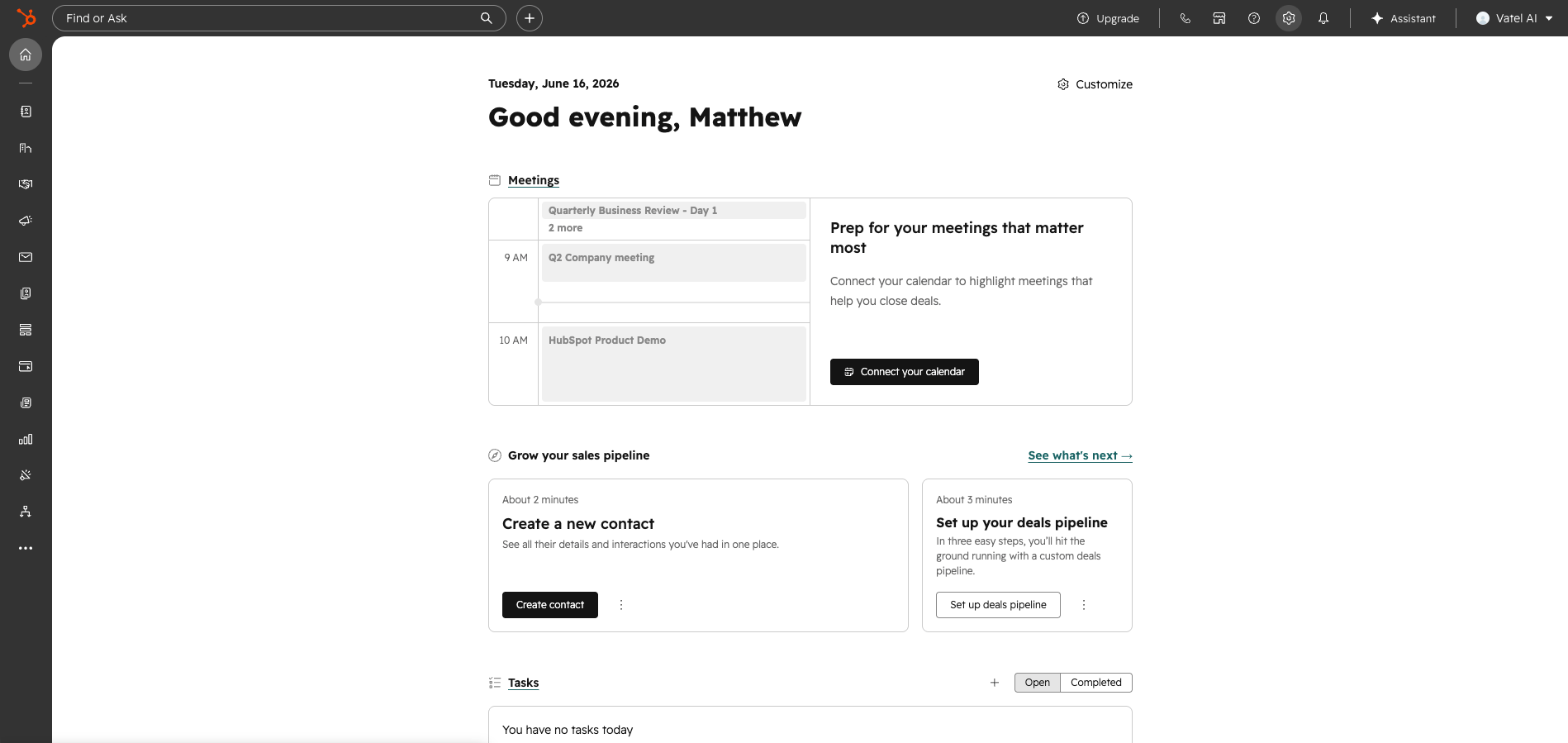
- In HubSpot, click the gear icon in the top-right to open Settings.
- In the left sidebar, click Integrations > Service Keys.
- Click Create service key, give it a name, and select the appropriate scopes for your use case.
- Once created, click Copy to copy the key.
Step 2: Connect the integration in Vatel
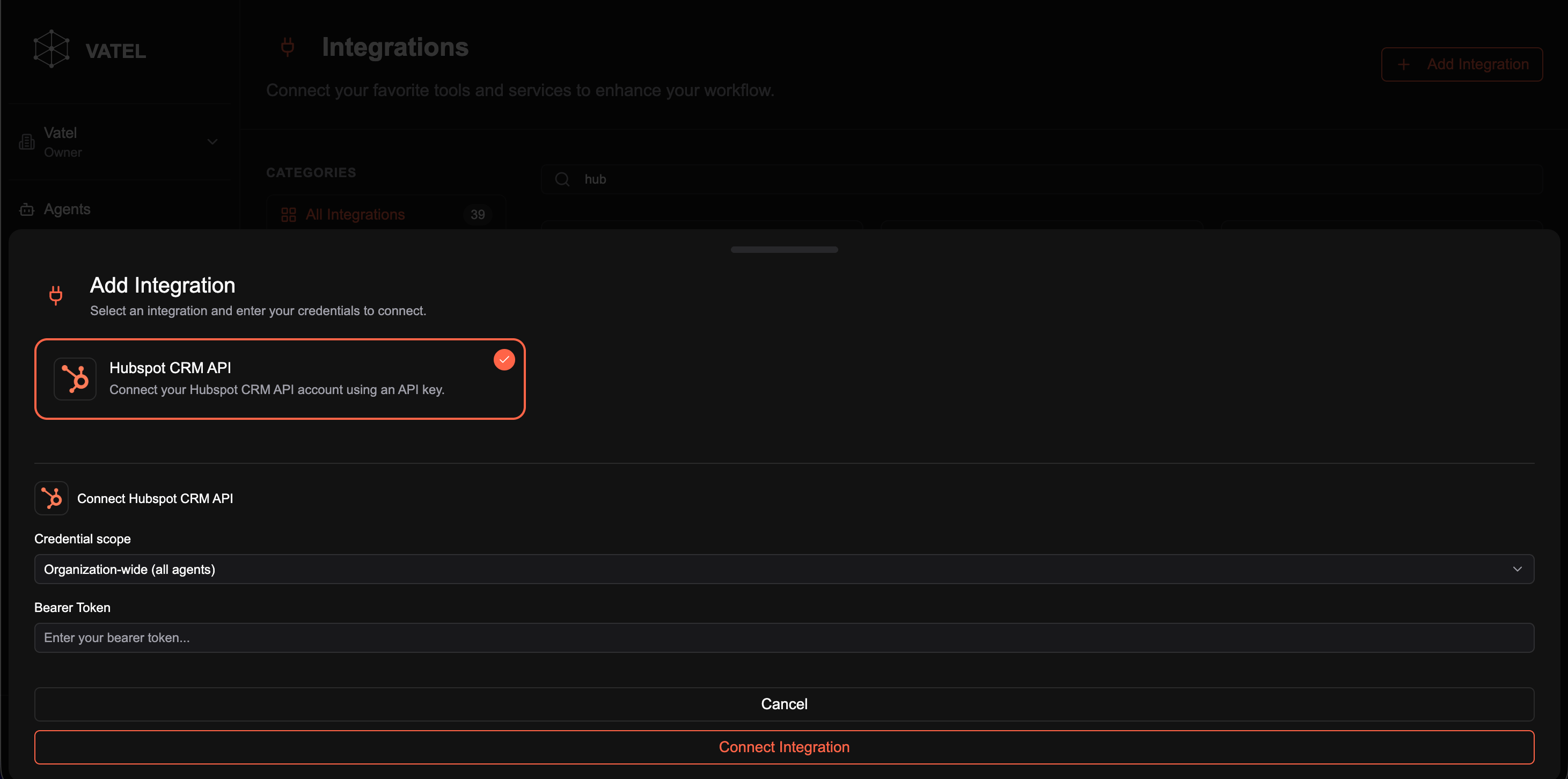
- In the Vatel sidebar, click Integrations.
- Click Add Integration in the top-right.
- Select HubSpot CRM API.
- Set Credential scope to Organization-wide (all agents) or restrict it as needed.
- Paste your copied key into the Bearer Token field.
- Click Connect Integration.
Step 3: Use the integration in your agent graph
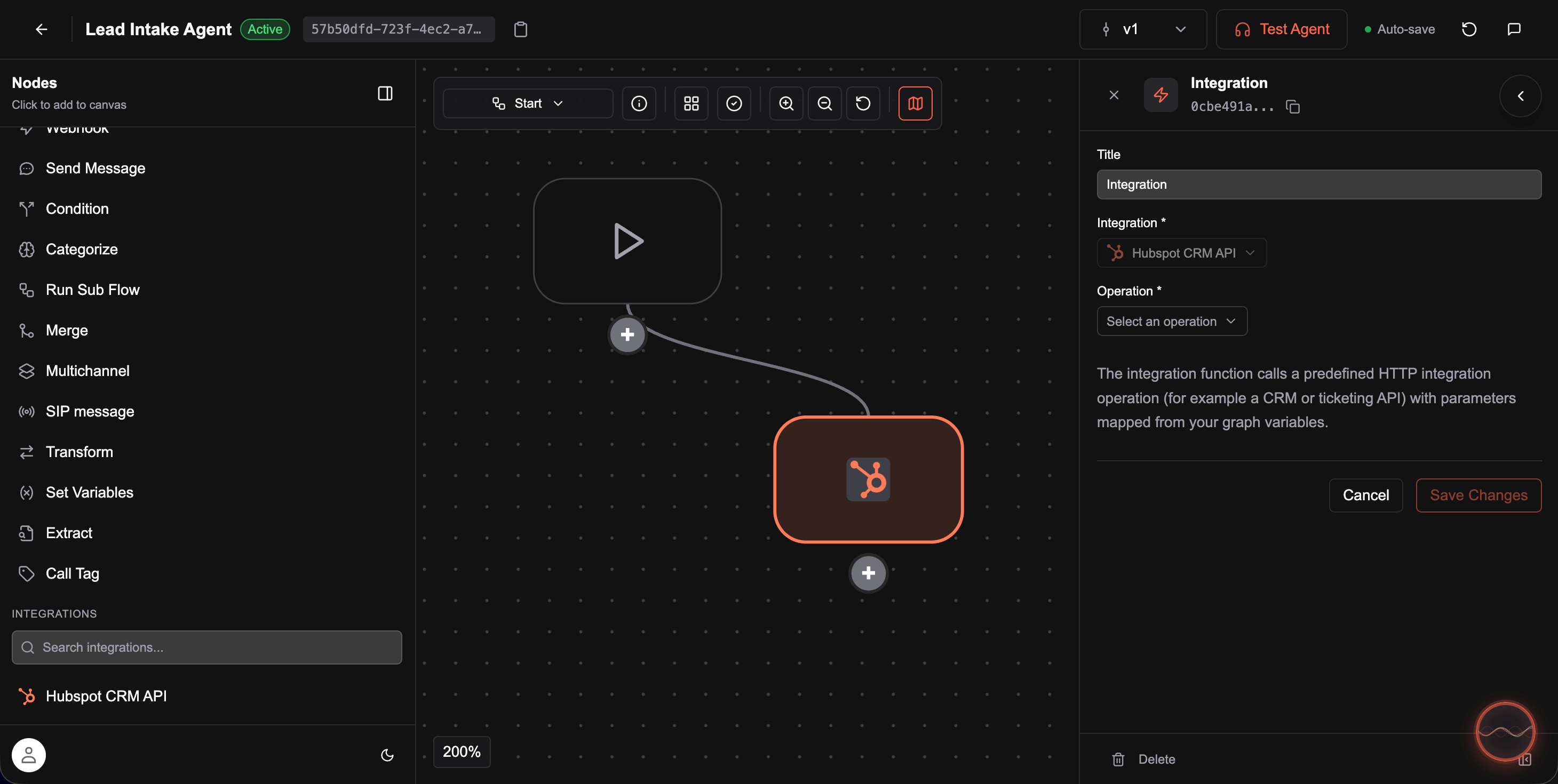
- Open an agent and go to its graph editor.
- In the left sidebar under Integrations, you will see HubSpot CRM API listed. Click it to add it as a node.
- In the node panel that opens on the right, give the node a Title, then select an Operation from the dropdown (e.g. create contact, get deal, update company).
- Fill in any relevant field values or map them from graph variables.
- Click Save Changes.
- Start a call to test the node in your agent flow.