Prerequisites
- MailerSend account - See getting started if needed.
- Verified domain - You must verify and authenticate a sending domain in MailerSend so emails deliver correctly and aren’t marked as spam. Follow How to Verify and Authenticate a Sending Domain.
Initial configuration
- Generate an API key in your MailerSend dashboard.
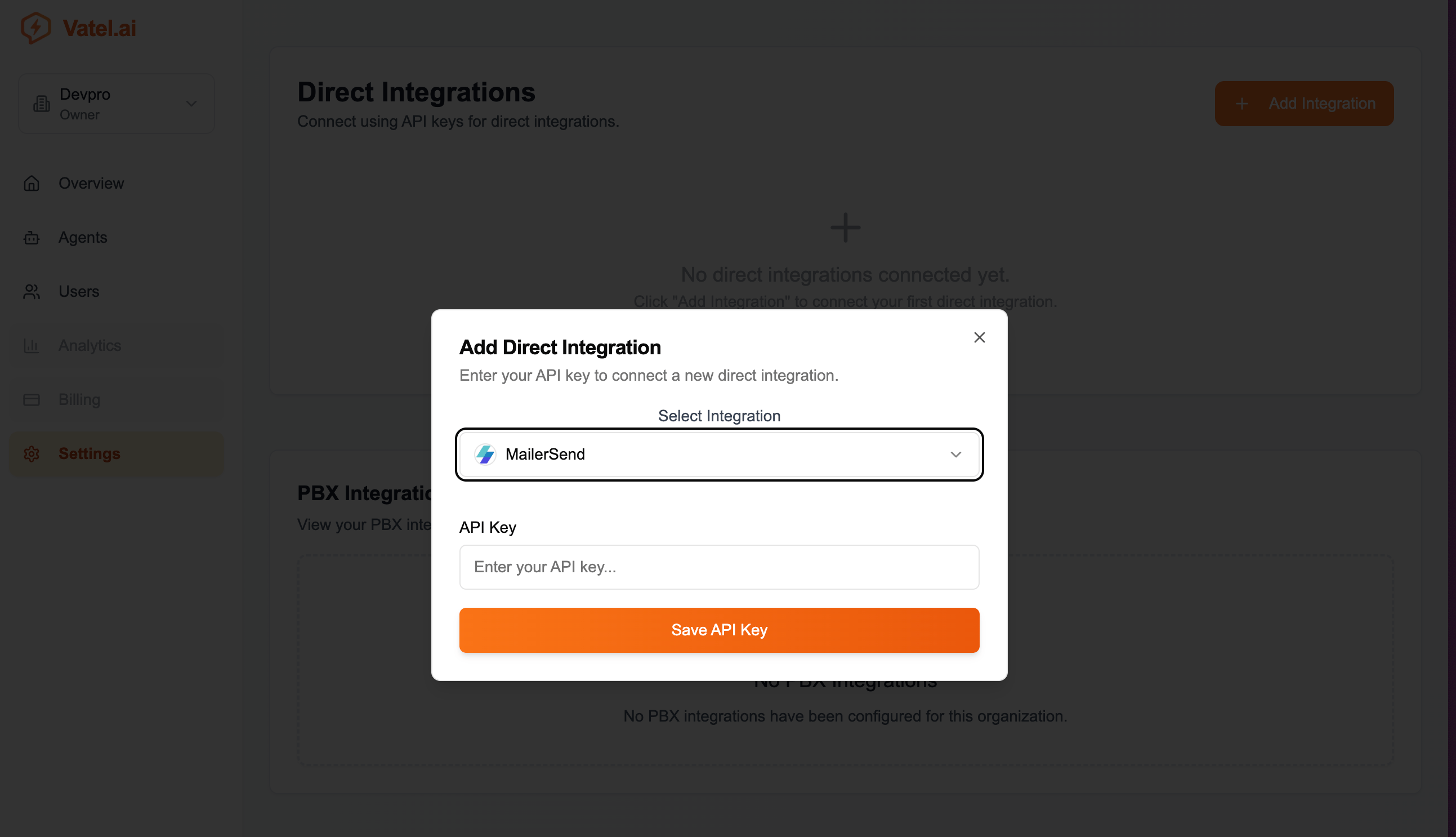
- In Vatel AI → Settings → Direct Integrations, click Add Integration.
- Select MailerSend and paste your API key.
- Click Save API Key.
Using in an agent
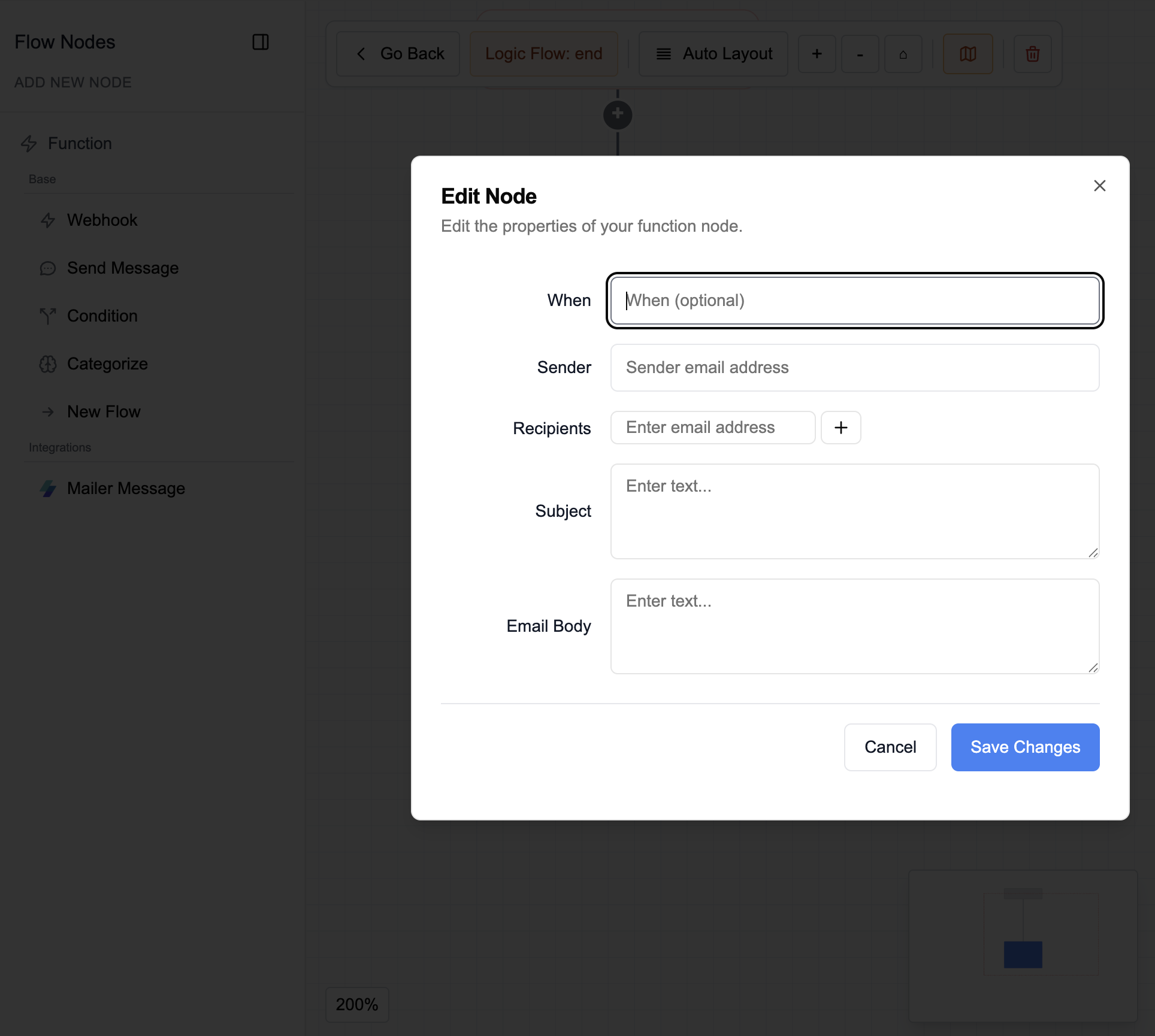
- In the agent editor, open the conversation graph or end-of-call logic and add a MailerSend node.
- Set:
- When - When to send the email
- Sender - Sender address
- Recipients - One or more addresses (use + to add more)
- Subject - Email subject
- Body - Content; supports system variables