

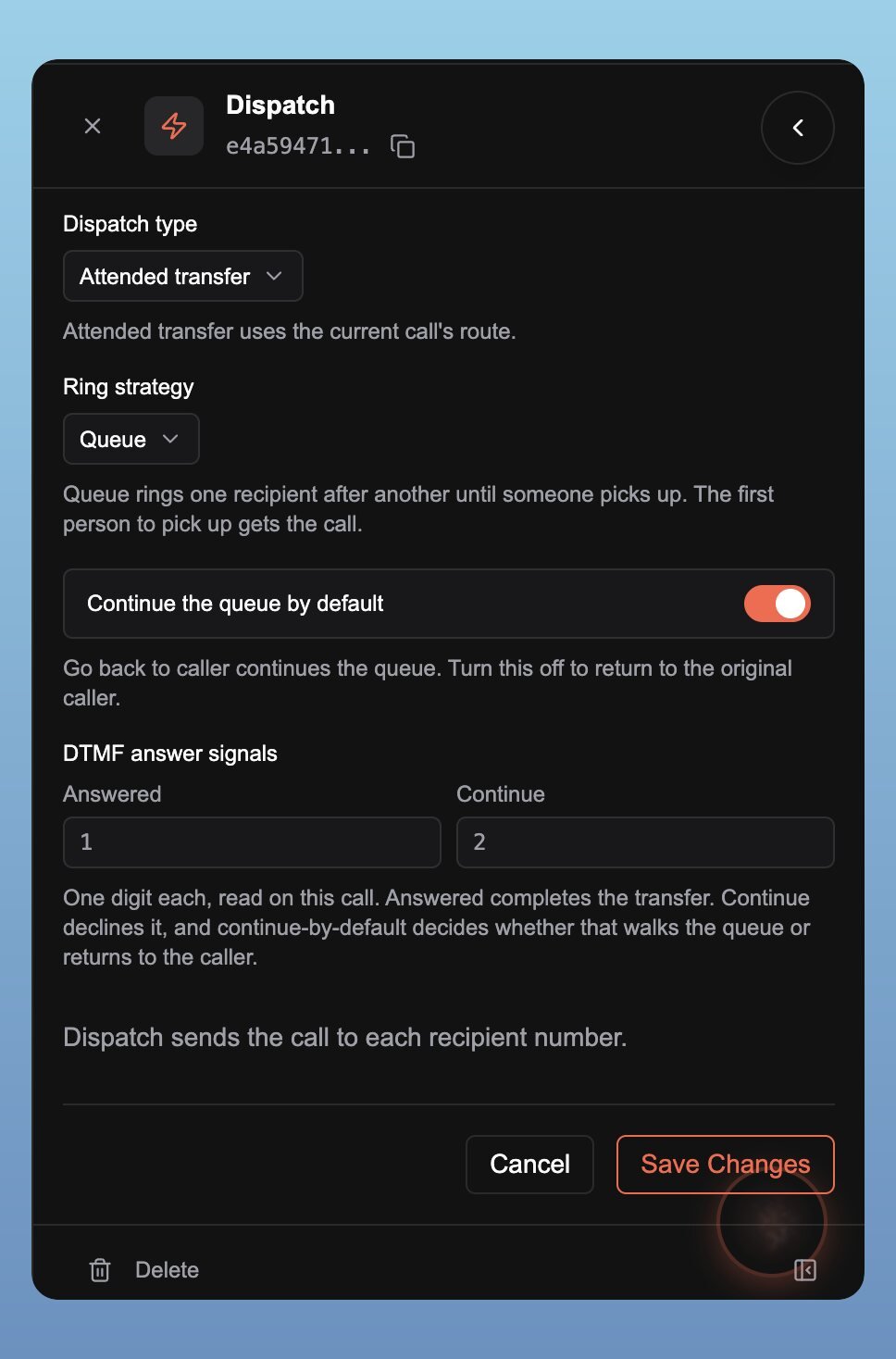
Dispatch settings on the main flow. Dispatch type is Attended transfer, ring strategy is Queue, and continue the queue by default is on. Answered is 1 and Continue is 2.
Dispatch type
The Dispatch type dropdown at the top of the settings panel determines how the system reaches the on-call list.Dial
Dial places brand-new outbound calls through a second agent you select. The original caller is not connected to these calls. The second agent calls each number on the list, briefs whoever answers using the variables you passed in, and handles the conversation independently. The original call keeps going, whether the Dispatch node runs mid-conversation or on the end flow. Start flows and end flows can only use Dial, because there is no active caller to transfer at those points. You must choose a Route for Dial (SIP or Twilio), and you must select an Agent. The Agent dropdown lists every other agent in your organization. The agent that owns the current graph is excluded, because the purpose is to hand the outbound call to a different agent.Attended transfer
Attended transfer rings the on-call list using the same phone connection the caller is already on. The caller is placed on hold while the system rings each number. When someone answers, your agent briefly consults with them (the consultation phase). If the on-call person accepts, the caller is connected directly to them. If the on-call person declines, the system moves to the next number or returns to the caller, depending on your settings. Attended transfer does not use a second agent, a route, a trunk, or variables, because it reuses the call that is already connected.Ring strategy
The Ring strategy dropdown controls how the system works through your list of on-call numbers. Queue rings one number at a time, in the order you listed them. If the first person does not answer or declines, the system moves to the second number, and so on. When using Dial, the queue waits for each outbound call to fully finish before dialing the next number. Queue is the right choice when you have a priority order (for example, the primary on-call person should always be tried first). Ring all rings every number on the list simultaneously. With Dial, all outbound calls stay active independently. With Attended transfer, the first person who answers is connected to the caller, and the remaining ringing calls are automatically cancelled. Ring all is the right choice when speed matters more than priority order.Queue settings
These settings appear when the strategy is set to Queue.
Each recipient number is entered as its own field in the form. You can type a literal phone number, or you can use a
{{variable}} to pull the number from your call data. When you use a variable, the retry count and retry delay settings apply to that individual entry.
Continue the queue by default
This toggle answers one question: if someone picks up but neither the Answered nor Continue DTMF digit is pressed, what should happen? When the toggle is on (the default): The system assumes the pickup was not a definitive answer. After that outbound call finishes, the queue moves on to the next number. This is useful when on-call staff might pick up accidentally or when the second agent needs an explicit confirmation before stopping. When the toggle is off: The system treats any pickup as the answer. The queue stops as soon as someone answers the phone, even if they never press a DTMF digit. If the on-call person presses the Answered or Continue DTMF digit, that always takes priority over this toggle. Under the hood, this toggle maps to thecontinue_call_queue variable, which the outbound agent can also set programmatically using a Set Variables node. This variable only applies to Dial mode.
For Attended transfer, the toggle works differently. When the toggle is on and the agent selects “go back to caller” during the consultation phase, the queue continues to the next number. When the toggle is off and the agent selects “go back to caller,” the system returns to the original caller and stops the queue.
DTMF digits on the queue
The Answered and Continue digits give on-call staff a way to accept or decline without speaking a command.
For Attended transfer, the on-call person presses these digits during the consultation phase (the brief window after they pick up but before the caller is connected).