
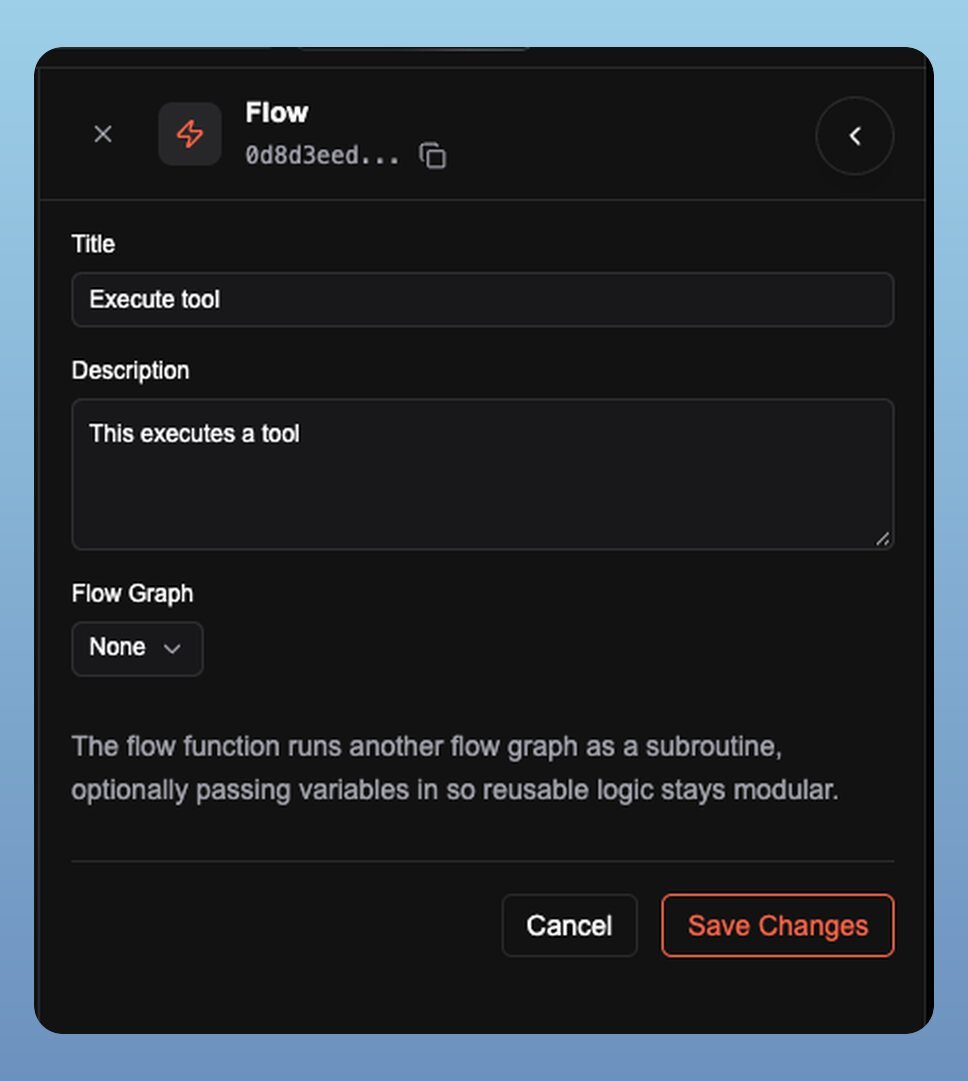
Run Sub Flow settings inside a flow. The header is Flow, Flow Graph is None, and Variables is not on this form.
Fields
Title
The label displayed on the node in the visual editor. Give it a name that describes what the sub flow does (for example, “Verify caller identity” or “Look up order status”).Description
A short explanation of what this step accomplishes. This text is visible to the AI model, so a clear description helps the agent understand the purpose of the sub flow in the broader conversation.Flow Graph
The flow that will run when execution reaches this node. The dropdown starts at None until you select a flow. The available options are all the flows defined on this version of the agent, including Start, End, Main Flow, and any custom flows you have created. If you have not selected a graph version yet, the dropdown displays No graph version selected and you will need to select a graph version first before choosing a flow.Variables
This section is only available when the Run Sub Flow node is on the main conversation flow. It does not appear when the node is inside another flow. Click Add Variable to pass data into the sub flow. Each row has two fields:- Name: The variable name that will be accessible inside the called flow. For example, if you name a variable
customer_id, the nodes inside the sub flow can referencecustomer_id. - Value: The data to pass in. This can be static (a fixed value you type, like
"premium") or dynamic (a variable reference built with the snippet builder that pulls a value from the conversation, like the caller’s account number).
What happens when the sub flow finishes
When the called flow completes, two things come back to the calling context:- Variables: Any variables that were set inside the sub flow (either passed in or created during execution) become available in the conversation. Later nodes and the agent itself can reference them.
- Context from leaf nodes: Any leaf node in the sub flow (a node with no outgoing edge) has its result added to the agent’s context. This means the agent knows the sub flow ran and can see what happened at the end of each branch.