
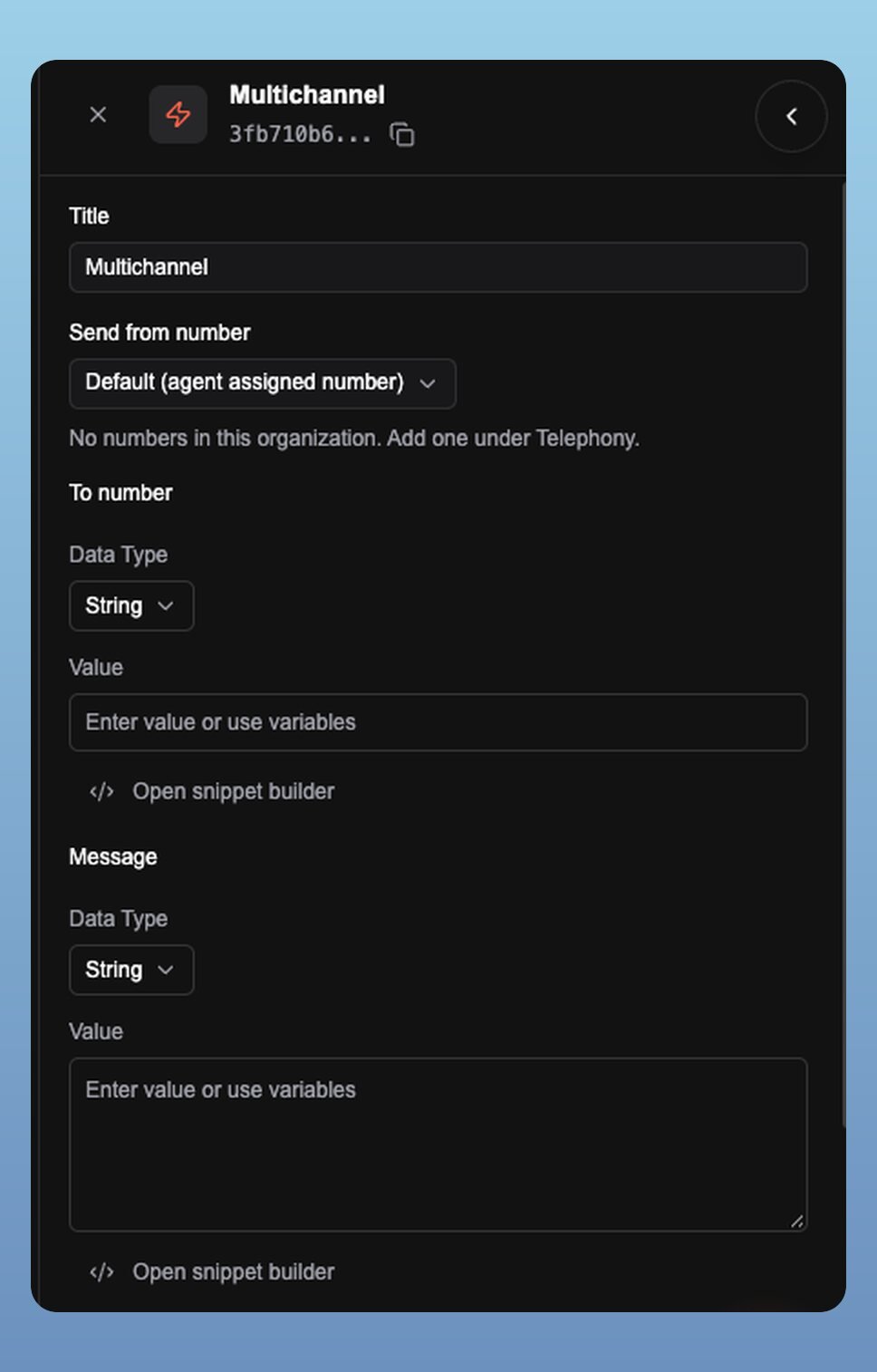
Multichannel settings on a flow. Send from number is the agent default, and there are no organization numbers.
Fields
On the main conversation flow, the form includes a When field that controls when the node runs. This is a natural-language instruction that tells the agent the circumstances under which it should open the SMS channel (for example, “when the caller says they are ready to provide their address”). In a Start, End, or sub flow, the When field is not shown because those flows run their nodes in a fixed order.Title
The label displayed on the node in the visual editor. Use something descriptive so you can identify the node at a glance (for example, “Open SMS for address collection” or “Text confirmation code request”).Send from number
The phone number the initial text message will come from. You have two choices:- Default (agent assigned number): Uses whichever phone number is already assigned to this agent.
- An organization number: If your organization has purchased additional phone numbers and configured them under Telephony, they appear in this dropdown. Pick one if you want the text to come from a specific line.
To number
The phone number that will receive the text message and be able to reply. On an inbound call, this is usually the caller’s own phone number. You can type the number directly or use a variable (for example, a number collected earlier in the conversation). Click Open snippet builder to insert a variable reference.Message
The initial text message that opens the SMS channel. This is what the recipient sees first. Write it so the caller knows what to do next. For example:- “Please reply to this text with your full mailing address.”
- “Text us your confirmation code and we will verify it for you.”