

priority, any later step, any other flow on the same call, and even the agent’s prompt can read it with {{priority}}.
This is useful when you need to carry information forward. For example, a start flow might look up a customer record via webhook and then use Set Variables to store customer_name, account_id, and plan_type so the main conversation and end flow can reference them.
You can use the Set Variables node on Start, End, and any custom flow you have created. On the Main Flow, this option is greyed out and cannot be selected. The settings header in the panel reads Variable.
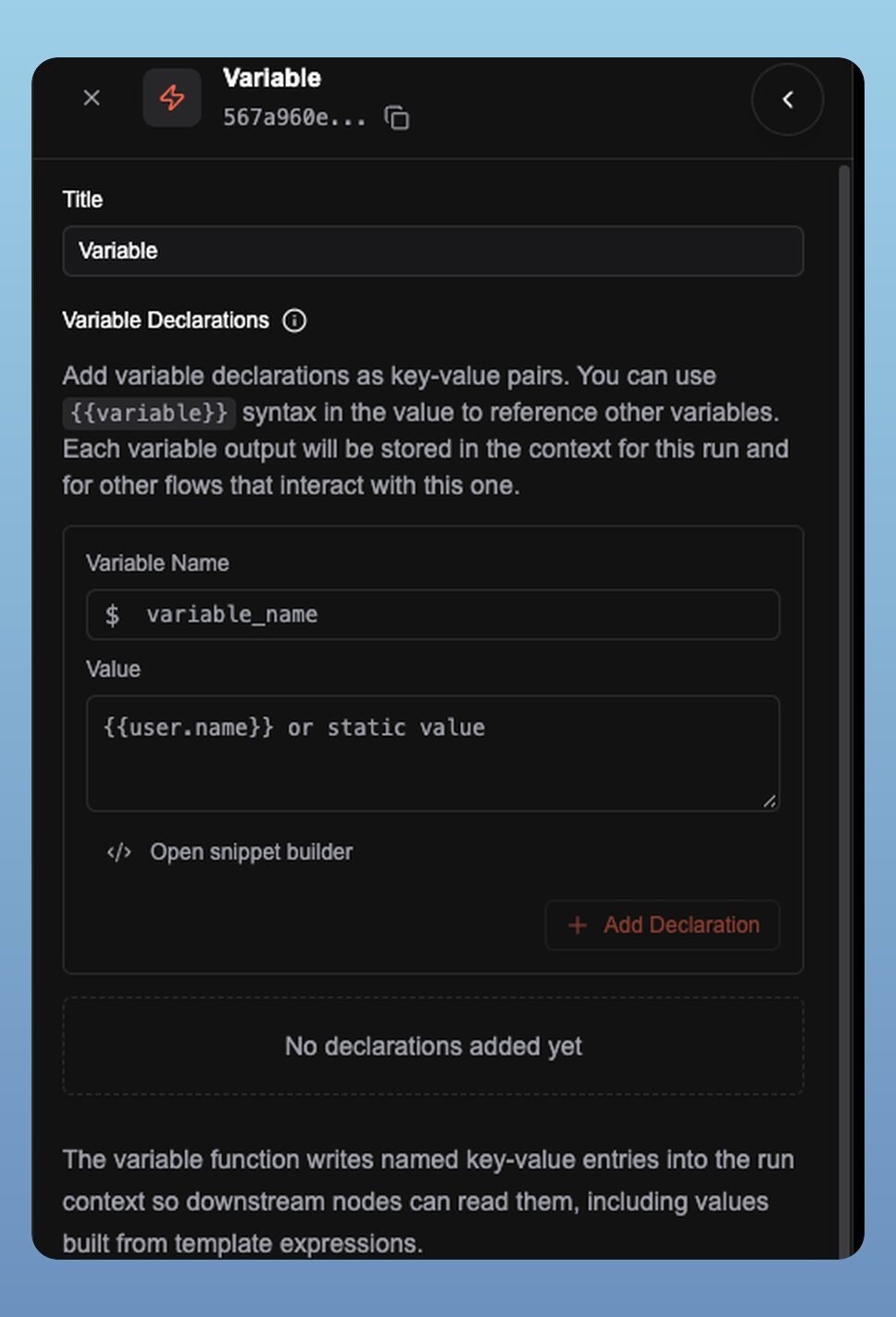
Set Variables on a flow. The header is Variable, the name box shows a $ prefix, and no declarations have been added.
Fields
Adding declarations
Each variable you want to set gets its own card in the Variable Declarations section. Click Add Declaration to create a new card. Each card has two fields:- Variable Name is the name you are creating or updating. The
$symbol shown in the input box is a visual indicator only; it is not part of the actual name. If you typepriority, the stored name ispriorityand you reference it elsewhere as{{priority}}. - Value is what gets stored under that name. You can type static text (a fixed value like
highor123 Main St) or use a{{variable}}reference to copy a value from somewhere else (like{{caller_name}}).
Scope and lifetime
Variables set by this node are available for the rest of the current call. That includes later steps in the same flow, steps in other flows that run on the same call, and the agent’s prompt. Once the call ends, the variables are no longer active (though they may appear in logs and transcripts).Special variable: continue_call_queue
On any flow except the Start flow, you will see an info button next to the Variable Declarations section. This button explains a special variable calledcontinue_call_queue.
This variable only matters when you are using Dispatch with the Dial type in Queue mode. In that scenario, the dispatched agent calls one number at a time. When a call finishes, the system checks continue_call_queue to decide what to do next:
- Setting the value to
truetells the parent queue to move on to the next number. - Setting the value to
falsetells the parent queue to stop, treating this call as the final answer.
True, TRUE, and true all work the same way). If the on-call person presses the Answered DTMF digit on the Dispatch node, that takes priority over this variable.
This special variable does not apply to Attended transfer. The info button is not shown on the Start flow because Start flows run before any dispatching context exists.